Cybersecurity
Editorial Team
10 Jun 2026
Your website is the digital front door to your business, and most companies don't even have a lock on it. Recent data shows 69% of business websites contain at least one serious security vulnerability that could enable data theft, malware injection, or complete website compromise. The average cost of a data breach now exceeds ₹3 crore, yet many businesses operate without ever conducting a formal website security audit. The scary part? Most security breaches don't happen because hackers overcame sophisticated defenses, they happen because basic security fundamentals were overlooked.
This isn't theoretical risk. When hackers attack, they start with simple vulnerability scans looking for unmaintained software, weak passwords, missing security headers, and unencrypted data transmission. Most find what they're looking for within minutes. A comprehensive website security audit checklist combined with regular security checks prevents the overwhelming majority of attacks before they begin.
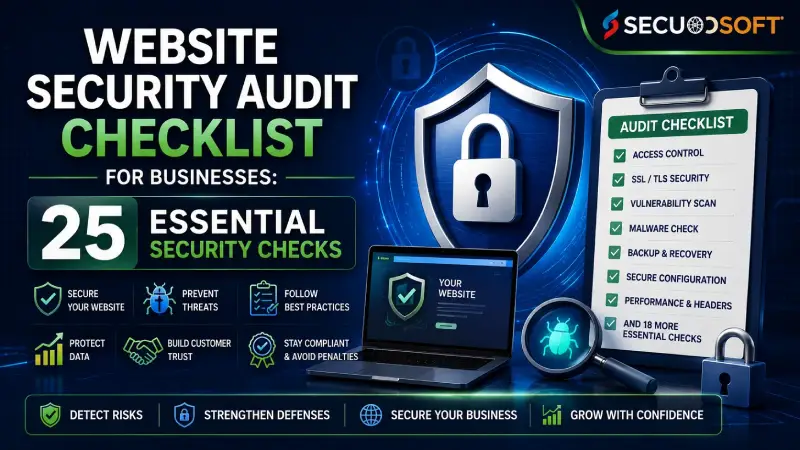
This practical guide provides the 25-point website security audit checklist your business needs to identify vulnerabilities, assess current security posture, and implement protections that actually matter, presented as an actionable framework you can implement immediately or use to evaluate whether your developers and hosting providers are maintaining adequate security.
Understanding Website Security Audit Fundamentals
Why Website Security Audits Matter for Business
A website security assessment serves multiple critical purposes. It identifies vulnerabilities before attackers exploit them. It documents your security baseline for compliance requirements. It validates that security implementations actually work as designed. And it creates accountability, ensuring your team maintains security standards continuously rather than during occasional crisis response.
Common consequences of skipped security audits:
Your website gets infected with malware spreading to visitor computers (damages reputation, legal liability, customer trust erosion) Customer payment information gets stolen through insecure checkout processes (enables fraud, requires breach notification, regulatory penalties) Attackers inject spam or malicious content damaging search rankings (business visibility disappears suddenly) Data breaches expose customer PII resulting in ₹50-200 lakh regulatory fines (GDPR, local data protection laws) Website downtime during attacks disrupts sales and customer service (revenue loss, customer frustration)
Regular website security testing and cybersecurity audit checklists prevent these expensive scenarios through early vulnerability detection.
Many organizations discover that security vulnerabilities originate from poor coding practices, outdated frameworks, or insecure third-party integrations. Investing in professional web application development with security-first architecture significantly reduces the likelihood of critical vulnerabilities appearing in production environments.
Types of Security Assessments Explained
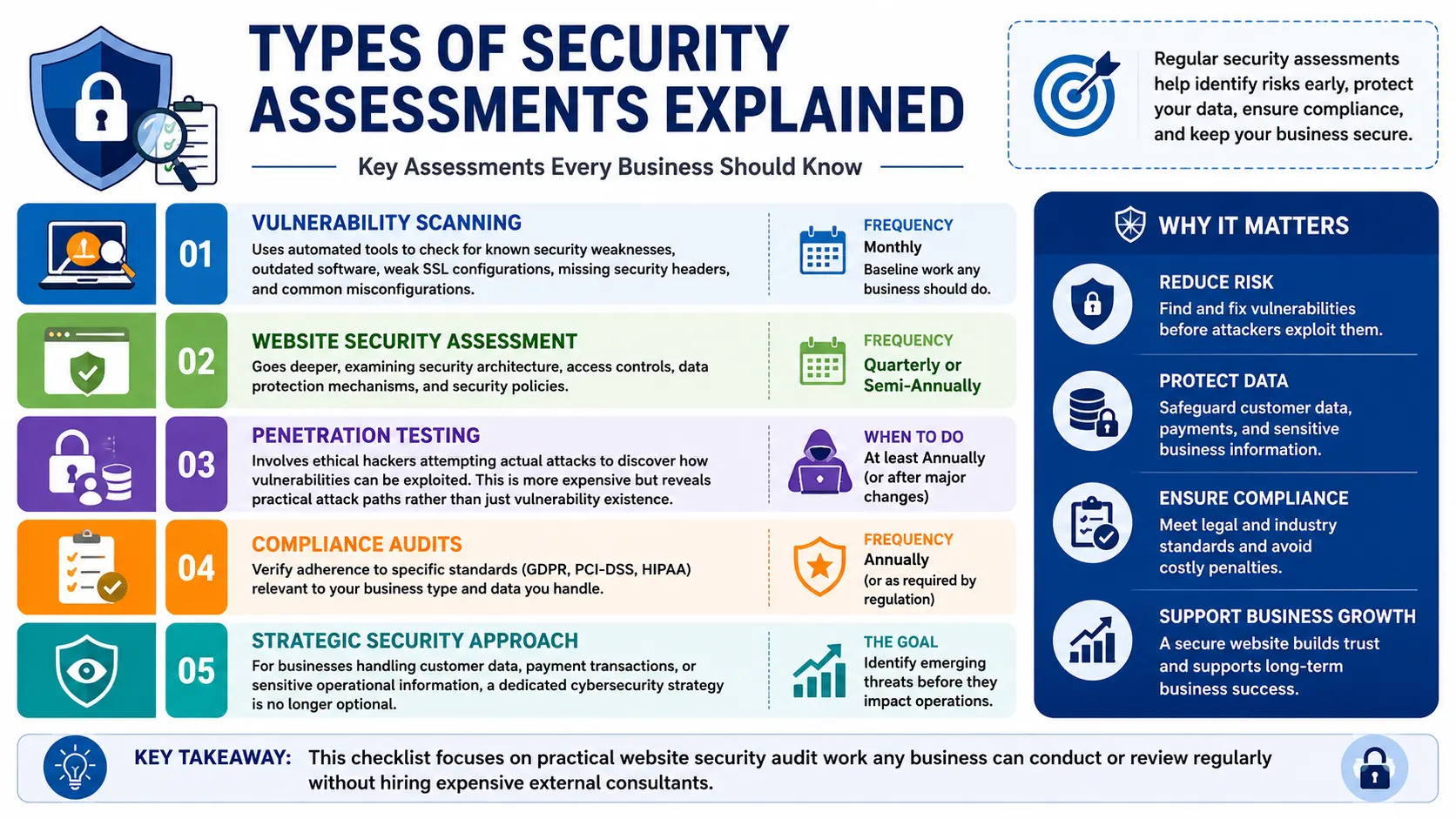
Vulnerability scanning uses automated tools to systematically check for known security weaknesses, outdated software versions, weak SSL configurations, missing security headers, common misconfigurations. This is baseline work any business should do monthly.
Website security assessment goes deeper, examining security architecture, access controls, data protection mechanisms, and security policies. This typically happens quarterly or semi-annually.
For businesses handling customer data, payment transactions, or sensitive operational information, a dedicated cybersecurity strategy is no longer optional. Regular assessments combined with proactive security monitoring help identify emerging threats before they impact business operations.
Penetration testing involves ethical hackers attempting actual attacks to discover how vulnerabilities can be exploited. This is more expensive but reveals practical attack paths rather than just vulnerability existence.
Compliance audits verify adherence to specific standards (GDPR, PCI-DSS, HIPAA) relevant to your business type and data you handle.
This checklist focuses on practical website security audit work any business can conduct or review regularly without hiring expensive external consultants.
The 25-Point Website Security Audit Checklist
Section 1: HTTPS & Encryption Foundation (5 Critical Checks)
Check 1: Valid SSL/TLS Certificate Status
Your website should use HTTPS (not HTTP). Visitors see a padlock icon indicating encrypted connection. Check your SSL certificate audit status immediately:
Action items:
- Navigate to your website in a browser
- Verify the padlock icon appears next to the URL
- Click the certificate to confirm it's valid (not expired)
- Confirm the domain name matches your website
- Verify the certificate issuer is a recognized authority
Tools: SSL Labs (ssllabs.com) provides a free comprehensive SSL certificate audit scoring your configuration A+ through F based on security strength.
Critical: An expired or invalid SSL certificate signals security neglect to customers and search engines, damaging trust and SEO rankings simultaneously.
Check 2: Encryption Strength Assessment
Not all SSL certificates provide equal protection. TLS 1.3 (current standard) offers significantly stronger security than older TLS 1.0 or 1.1 protocols that should be disabled.
Action items:
- Use SSL Labs to analyze your TLS configuration
- Verify TLS 1.3 is enabled
- Disable TLS 1.0 and TLS 1.1 (outdated, exploitable)
- Confirm cipher suites use strong algorithms (avoid "weak" ratings)
What to avoid: Websites still accepting TLS 1.0 are vulnerable to multiple known attacks. This is the equivalent of leaving your front door unlocked.
Check 3: HSTS Implementation
HSTS (HTTP Strict Transport Security) headers force browsers to always use HTTPS, preventing downgrade attacks where hackers redirect you to unencrypted versions.
Action items:
- Verify HSTS header is present
- Check HSTS max-age setting (should be 31536000 seconds minimum = 1 year)
- Consider HSTS preloading for additional protection
Why it matters: Without HSTS, attackers can intercept the first request on unencrypted HTTP before the redirect to HTTPS happens. HSTS prevents this attack vector entirely.
Check 4: Certificate Pinning for High-Value Applications
If your website handles sensitive transactions or authentication, certificate pinning adds additional protection against fraudulent certificates that hackers might obtain.
Action items:
- Review if your application implements certificate pinning
- If not, evaluate necessity based on data sensitivity
- Implement if handling financial transactions, authentication, or highly sensitive data
Check 5: Mixed Content Detection
Mixed content occurs when HTTPS pages load resources (images, scripts, stylesheets) from unencrypted HTTP sources. This breaks encryption protection.
Action items:
- Open your website in Chrome
- Open Developer Tools (F12)
- Check Console for mixed content warnings
- Audit every resource, ensuring all are loaded via HTTPS
- Force HTTPS for all external resources
Impact: Even one unencrypted resource creates vulnerability opportunities.
Section 2: Authentication & Access Control (5 Critical Checks)
Check 6: Password Policy Enforcement
Weak passwords remain the biggest security vulnerability because they're easily guessable.
Action items:
- Review password requirements for your website login
- Verify minimum 12-character length requirement
- Confirm it requires mixed character types (uppercase, lowercase, numbers, symbols)
- Check that password history prevents reuse
- Confirm passwords are hashed (never stored in plaintext)
Red flag: Systems allowing simple passwords like "password123" or "admin" are fundamentally insecure.
Check 7: Multi-Factor Authentication (MFA) Implementation
MFA requires a second verification method beyond password, typically a code from an authenticator app, SMS, or security key.
Action items:
- Verify MFA is available for user accounts
- Check if MFA is mandatory or optional
- For sensitive functions (admin access, payment processing), MFA must be mandatory
- Review MFA methods offered (authenticator apps preferred over SMS for security)
2026 reality: MFA should be standard for any account accessing sensitive functions.
Check 8: Session Management Security
Sessions maintain user login state. Poor session management allows attackers to hijack sessions, accessing accounts without passwords.
Action items:
- Verify sessions expire after reasonable inactivity (15-30 minutes)
- Confirm sessions terminate on logout
- Check that session tokens are impossible to guess (truly random, not sequential)
- Verify session cookies use Secure flag (HTTPS-only transmission)
- Confirm HttpOnly flag prevents JavaScript access to session tokens
Check 9: Access Control & Least Privilege
Users should access only the minimum data and functions necessary for their role.
Action items:
- Review user roles and permissions
- Identify administrative accounts with unrestricted access
- Reduce admin access to only necessary functions
- Implement role-based access control (different permissions for different roles)
- Remove inactive user accounts promptly
Check 10: Account Lockout Mechanism
After multiple failed login attempts, accounts should temporarily lock, preventing brute force attacks.
Action items:
- Verify account lockout activates after 5-10 failed login attempts
- Confirm lockout duration (15-30 minutes)
- Check that legitimate users can unlock accounts securely (email verification)
- Avoid permanent lockouts creating denial-of-service risk
Section 3: Data Protection & Privacy (5 Critical Checks)
Check 11: Data Classification & Encryption
Different data requires different protection levels. Payment card information needs stronger protection than public blog posts.
Action items:
- Identify what sensitive data your website handles (payment info, personal data, authentication credentials)
- Verify sensitive data is encrypted both in transit (over network) and at rest (on servers)
- Check encryption key management (keys stored separately from encrypted data)
- For payment card data, verify PCI-DSS compliance requirements
Critical distinction: Encryption in transit means data is scrambled during transmission. Encryption at rest means data is scrambled when stored on servers. You need both.
Check 12: PII (Personally Identifiable Information) Protection
Personal information like names, addresses, phone numbers, email addresses requires careful handling.
Action items:
- Document all PII your website collects
- Verify it's only collected when necessary
- Confirm it's protected with encryption
- Check that access is restricted to authorized personnel only
- Verify it's deleted after retention period expires
- Confirm data sharing with third parties is documented and authorized
Check 13: Database Security Audit
Databases often contain your most sensitive data, user profiles, payment information, business data.
Action items:
- Verify default database credentials are changed
- Confirm databases use strong authentication
- Check that databases are not publicly accessible (should be internal network only)
- Verify database user accounts use least privilege (limited to required tables/operations)
- Confirm database connections use encryption
- Check for SQL injection vulnerabilities (covered in Section 4)
Check 14: Secure File Handling
Uploaded files can deliver malware or expose sensitive information if not handled properly.
Action items:
- Verify file upload functionality validates file types
- Confirm files are scanned for malware before storage
- Check that uploaded files are stored outside web root (not directly accessible)
- Verify file permissions prevent direct access without authorization
- Confirm file names are randomized (don't reveal structure)
Check 15: API Security Assessment
If your website exposes APIs for mobile apps or third-party integration, APIs require specific security controls.
Action items:
- Verify APIs require authentication (not publicly accessible)
- Check rate limiting prevents abuse (limits requests per user/time period)
- Confirm API responses don't leak sensitive information
- Verify API endpoints validate input thoroughly
- Check that deprecated API versions are disabled
Modern businesses increasingly depend on APIs to connect websites, mobile applications, payment gateways, CRMs, and third-party services. Secure API development practices ensure that these integrations remain protected against unauthorized access, data leakage, and abuse.
Section 4: Application Security (5 Critical Checks)
Check 16: OWASP Top 10 Vulnerabilities Testing
The OWASP Top 10 lists the most common critical web application vulnerabilities. Regular testing for these is essential.
Organizations building complex digital platforms should integrate secure software development lifecycle (SSDLC) practices directly into their development process. Addressing security vulnerabilities during development is significantly more cost-effective than fixing them after deployment.
Action items:
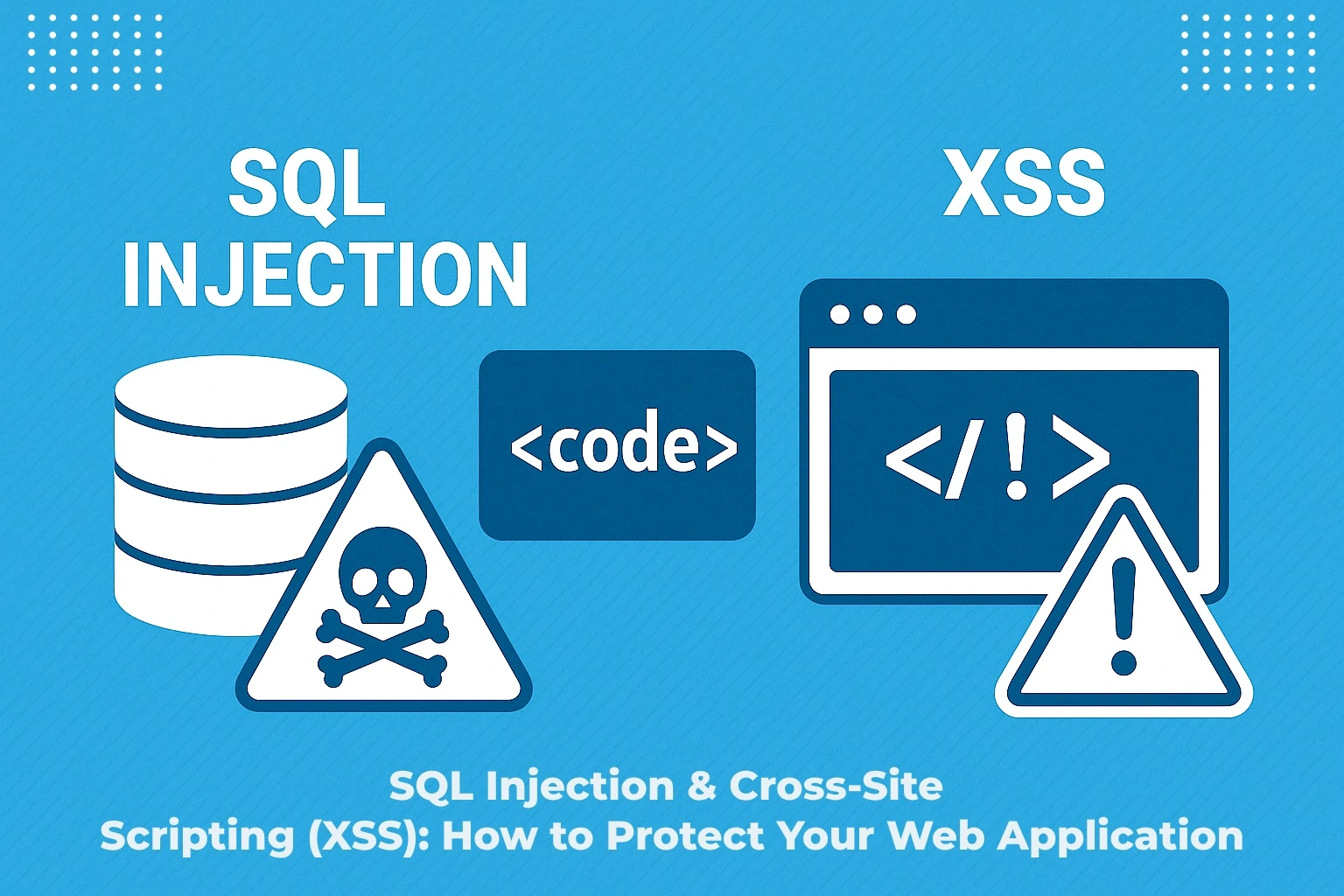
- Test for SQL Injection (submitting database commands in form fields)
- Test for Cross-Site Scripting/XSS (submitting JavaScript code in forms)
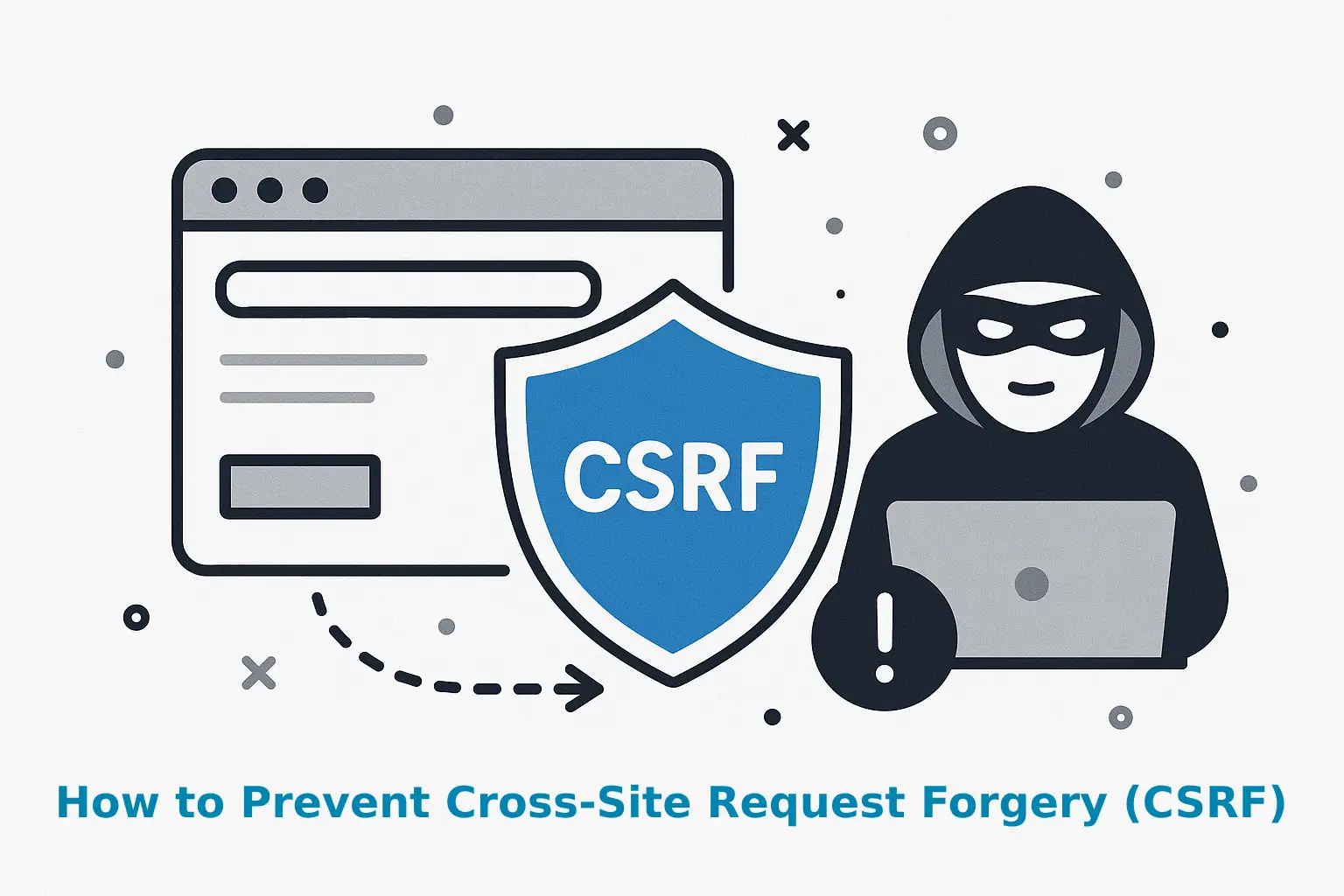
- Test for Cross-Site Request Forgery/CSRF (unauthorized action execution)
- Test for Broken Authentication (account enumeration, weak password reset)
- Test for Sensitive Data Exposure (information visible in source code, responses)
- Test for Broken Access Control (accessing pages/data you shouldn't access)
- Test for Insecure Deserialization (code injection through serialized objects)
- Test for Using Components with Known Vulnerabilities (outdated libraries)
Free tools: OWASP ZAP provides automated vulnerability scanning free.
Check 17: Input Validation & Sanitization
Most attacks involve submitting malicious data through forms and hoping the application doesn't properly validate it.
Action items:
- Review form validation (checking that submitted data is legitimate)
- Verify all inputs are validated on the server (never trust browser-based validation alone)
- Check that special characters are properly escaped (preventing injection)
- Confirm file uploads validate file types, sizes, and content
- Verify API endpoints validate all input parameters
Example: A form asking for a phone number should validate that only numbers and formatting characters are accepted, rejecting anything else.
Check 18: Security Headers Implementation
| Security Header |
Purpose |
Importance |
| Content-Security-Policy |
Controls what resources can load (prevents XSS) |
Critical |
| X-Frame-Options |
Prevents clickjacking attacks |
Critical |
| X-Content-Type-Options |
Prevents MIME type sniffing |
High |
| Strict-Transport-Security |
Forces HTTPS (mentioned in Check 3) |
Critical |
| Referrer-Policy |
Controls referrer information |
Medium |
| Permissions-Policy |
Controls browser features |
Medium |
Action items:
- Check your website headers using SecurityHeaders.com
- Implement missing security headers
- Set appropriate policy values (restrictive defaults, expand only as needed)
Check 19: Dependency & Library Vulnerability Scanning
Websites use third-party libraries and frameworks. Outdated libraries with known vulnerabilities are attack vectors.
Action items:
- Identify all libraries and frameworks your website uses
- Check for known vulnerabilities using SNYK or similar tools
- Update all libraries to latest secure versions
- Establish routine update schedule (monthly minimum)
- Disable or remove unused libraries
Check 20: Error Handling & Information Disclosure
Overly detailed error messages reveal system information helping attackers.
Action items:
- Review what information error messages display to users
- Verify error messages don't reveal database structure, file paths, or system architecture
- Confirm detailed error information is logged internally but not shown to users
- Check for information leakage in source code comments
Example: "Database table 'users' doesn't exist" reveals database structure, enabling targeted attacks. Instead show "An error occurred. Please try again."
Section 5: Infrastructure & Operations Security (5 Critical Checks)
Check 21: Web Application Firewall (WAF)
A WAF inspects traffic before reaching your website, blocking malicious requests.
Action items:
- Verify a WAF is deployed (Cloudflare, AWS WAF, ModSecurity)
- Check WAF rules are current and comprehensive
- Review WAF logs for attack attempts (understanding what's blocked)
- Confirm WAF is properly configured (not in reporting-only mode)
Check 22: DDoS Protection Verification
DDoS attacks flood your website with traffic causing crashes. Protection absorbs attack traffic.
Action items:
- Verify DDoS protection is enabled
- Check if protection covers your expected traffic volume
- Review DDoS mitigation during past incidents (if applicable)
- Confirm protection automatically activates without manual intervention
Check 23: Security Patch Management Process
Vulnerabilities in operating systems, frameworks, and libraries are discovered regularly. Prompt patching closes these vulnerabilities.
Action items:
- Document your patch management process
- Establish update schedule (critical patches within 24-48 hours)
- Verify testing happens before production deployment
- Confirm servers are actually receiving patches automatically
- Review vulnerability notification subscriptions for your software
Reality: Many breaches happen through vulnerabilities with patches available for months but not applied.
Check 24: Backup & Disaster Recovery Testing
Backups protect against data loss from attacks, hardware failure, or accidental deletion.
Action items:
- Verify regular automated backups occur (daily minimum)
- Confirm backups are encrypted
- Test that backups actually restore correctly (don't discover they're corrupt during crisis)
- Verify backups are isolated from production systems (malware won't encrypt them)
- Document recovery time objectives (RPO/RTO)
Check 25: Logging, Monitoring & Incident Response
Intrusion detection relies on monitoring logs for suspicious activity and responding quickly.
Action items:
- Verify security events are logged (logins, failed attempts, permission changes)
- Check logs are centralized and protected from deletion
- Confirm monitoring alerts on suspicious patterns
- Establish incident response process and team
- Document escalation procedures and communication plan
Practical check: Can you identify unauthorized login attempts from yesterday? If not, your logging is inadequate.
Creating Your Security Testing Schedule
Monthly Tasks (Minimum 2 Hours)
Run vulnerability scans using free tools (OWASP ZAP, Nessus Community) Review security headers using SecurityHeaders.com or similar Check SSL certificate expiration dates Review user access and remove inactive accounts Monitor for error messages revealing information
Quarterly Tasks (4-8 Hours)
Comprehensive website security assessment covering this checklist Manual security testing (form validation, authentication bypass attempts) Update and patch verification Log review for suspicious activity Security training refresher for development/operations teams
Annual Tasks (16+ Hours)
Professional penetration testing / external security assessment Comprehensive security compliance audit (GDPR, PCI-DSS, industry-specific requirements) Complete vulnerability remediation review Security policy and process updates Incident response process testing
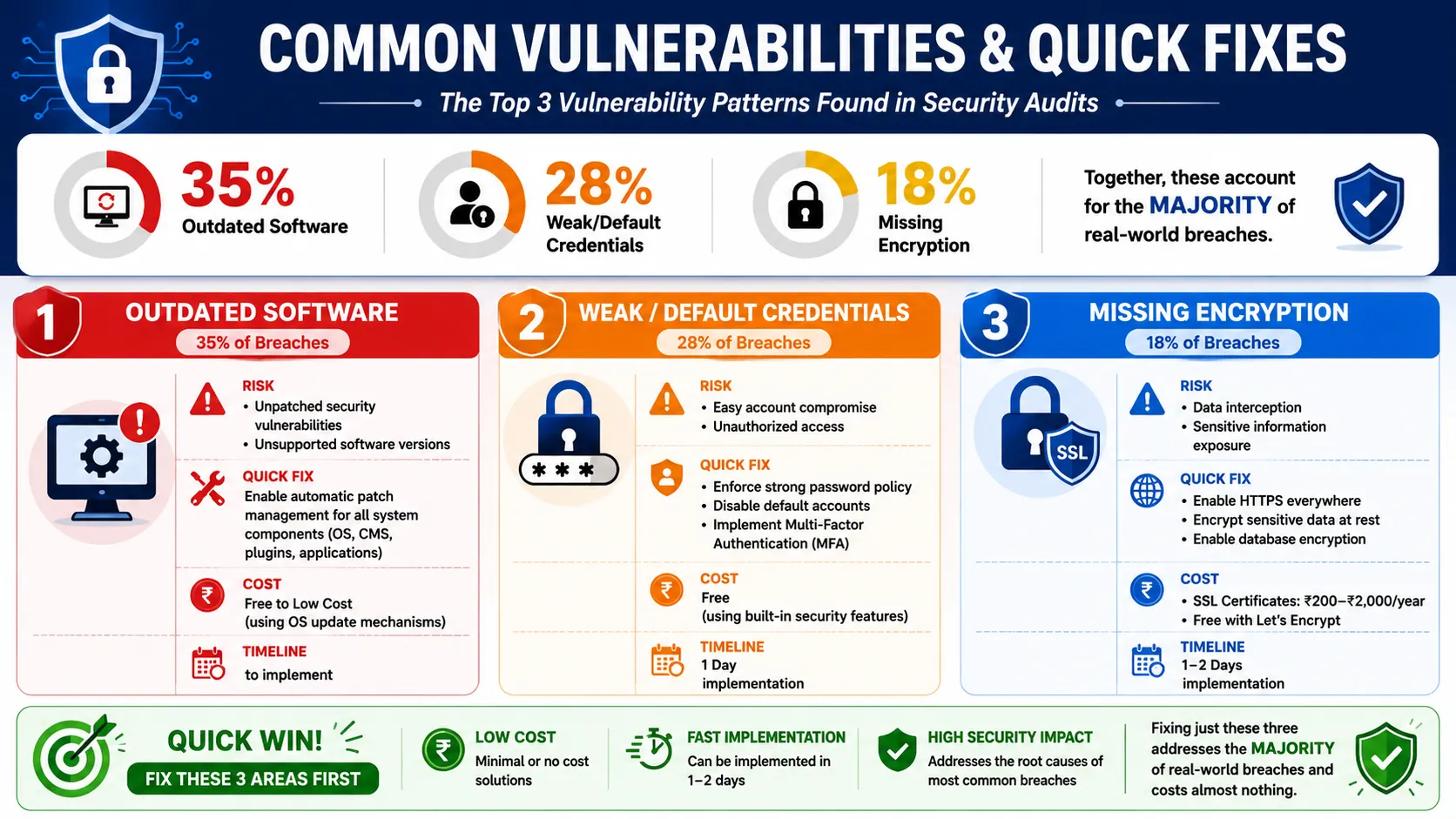
Common Vulnerabilities & Quick Fixes
The Top 3 Vulnerability Patterns Found in Audits
Outdated software (35% of breaches)
- Fix: Implement automatic patch management for all system components
- Cost: Free to low-cost (using OS update mechanisms)
- Timeline: 1-2 days to implement
Weak/default credentials (28% of breaches)
- Fix: Enforce strong password policy, disable default accounts, implement MFA
- Cost: Free (using built-in security features)
- Timeline: 1 day implementation
Missing encryption (18% of breaches)
- Fix: Enable HTTPS everywhere, encrypt sensitive data at rest, enable database encryption
- Cost: SSL certificates ₹200-₹2000 annually, or free (Let's Encrypt)
- Timeline: 1-2 days implementation
Fixing just these three addresses the majority of real-world breaches and costs almost nothing.
Secure Your Website Before Attackers Find the Vulnerabilities
A website security audit is only valuable when it leads to real protection. Secuodsoft helps businesses identify critical vulnerabilities, assess security risks, and implement effective remediation strategies before they become costly security incidents.
From vulnerability assessments and penetration testing to secure development and infrastructure hardening, our team helps organizations strengthen their security posture, protect sensitive data, and maintain customer trust in an increasingly complex threat landscape.
Conclusion
Website security is no longer a technical concern reserved for IT teams, it is a critical business responsibility that directly impacts customer trust, operational continuity, regulatory compliance, and brand reputation. Conducting regular security audits using a structured checklist helps organizations identify vulnerabilities before attackers exploit them, reducing the likelihood of costly breaches, downtime, and data loss.
By implementing these 25 essential security checks and establishing a continuous security monitoring process, businesses can significantly strengthen their digital defenses. Whether you manage a corporate website, eCommerce platform, customer portal, or enterprise application, proactive security investments today can prevent substantial financial and reputational damage in the future.
Frequently Asked Questions
Minimum annually, preferably quarterly. After any significant changes (new features, platform migration, third-party integrations), conduct an immediate audit. High-security businesses (financial services, healthcare) audit monthly or continuously monitor. The 25-point checklist should be reviewed manually at least quarterly and scanned automatically monthly using free tools.
A website security audit is systematic examination of your security posture against standards and best practices, identifying what security controls exist and whether they're properly configured. Penetration testing involves ethical hackers actually attempting attacks to discover vulnerabilities that can be exploited. Audits identify vulnerabilities that could be exploited; penetration tests prove which ones can be exploited. Both are valuable, audits are less expensive and good for continuous monitoring, penetration testing is more expensive but more comprehensive.
You can conduct basic audits using the 25-point checklist and free tools like OWASP ZAP, SSL Labs, and SecurityHeaders.com. However, professional security auditors and penetration testers bring expertise and thoroughness that catches vulnerabilities DIY audits miss. Recommendation: conduct monthly basic self-audits, professional audit annually, penetration testing every 18-24 months. This balances cost with security needs.
Prioritize by severity and business impact. Critical vulnerabilities (exploitable with high impact) require immediate remediation. High-severity vulnerabilities should be fixed within days. Medium/low severity can be scheduled into regular development work. For each vulnerability, determine: What's the actual risk? What's the fix cost/complexity? How long will it take? Create a remediation roadmap and track progress. Critical vulnerabilities unpatched beyond 48 hours represent unacceptable risk.
A comprehensive website security audit covering this checklist costs ₹50,000-₹3,00,000 depending on website complexity, number of pages, technology stack, and assessment depth. Simple sites on standard platforms cost less; complex custom applications cost more. Penetration testing costs ₹2,00,000-₹10,00,000 depending on scope. Budget-conscious businesses start with basic audits using free tools, advance to professional audits quarterly, and conduct penetration testing annually.